
Well that was a pain in the butt!

On the evening of July 4th, I was done watching the usual movie marathon. My knee was killing me, and I couldn’t sleep. 

Modemdanrouter 1 3508458483.Reading wasn’t working. I kept reading the same page over and over. I’d managed to walk the pup but it was not an easy walk. I’m still proud I put my big boy pants on and did it. But when we were done, I was hurting.

The knee is a bit better today.

Friday night though, I decided I wanted a little fun so I fired up the playstation. I was going to mindlessly blow stuff up and shoot zombies. It was s simple request. 

14d8385d59e614e0e5fea8fa5e140aa96a46622d7f836a7a 320292119.

It failed!

Turns out that somehow after the last power down of my equipment (so Edison could power down the grid, then didn’t…) My router either didn’t shut down right or corrupted a routing table.

This meant that for some reason most, and I mean almost everything dependent on internet access was working fine. I don’t use the playstation daily or even weekly so I didn’t notice.

There was something a week or so ago when I wanted to watch a movie from Amazon in surround sound. That particular night, the movie would start and play fine for a random period of time then suddenly freeze. I thought the problem was on amazon’s side and gave up after a couple of restarts.

Friday night, I couldn’t get the inevitable and requisite update to Call of Duty to download. There’s ALWAYS a download that must be installed with Call of Duty and frankly, I think it’s killing the franchise. Well, that and the story lines are kind of repetitive, plus now they’re doing this whole Season thing to milk more money out of Call of Duty fans. Honestly, I miss the days of plunking the DVD in the game station and just being able to play the damn game! 

6523167_bd 1882026385.I digress!

After repeated attempts, I switched to Borderlands and shot zombies. Saturday morning, I checked the network, the devices, and everything looked completely normal except that the Call of Duty download was still incomplete and claimed that it couldn’t use the DNS server provided.

Nothing else was having difficulty so I reset the playstation’s wifi connection & restarted the machine again. Still the problem persisted. It didn’t make sense, I half contemplated just hardwiring the playstation via a LAN cable. Doing so would probably have corrected the problem, but wouldn’t have answered the “WHY” of the problem.

Not having any better idea, I restarted the router.

That’s when everything went to shit!

When the router came back up, it started connecting to all of the devices it normally talks to then one by one devices started inexplicably dropping off wifi, then they’d come back. Something was very definitely wrong. 

I restarted the router again, this time all the devices came back online and remained except for one.

Turns out, the playstation and another device on the network were somehow interfering with each other. Both devices appeared to have the same identifiers and ip addresses. That’s a “can’t happen” situation and yet… here we were.

The routing table that is maintained internally by the router was somehow horribly corrupt. It took a several tries, and multiple reboots to get the router to let it go and purge the whole table. I thought I was going to have to reset the router entirely to factory default and reconfigure it from scratch. Somehow, probably due to a software update to the router, a portion of the table wouldn’t clear. The router was also randomly ignoring the command to purge the internal routing table
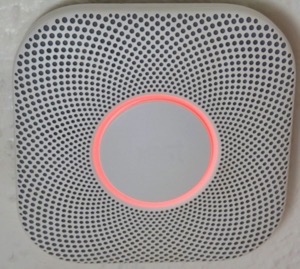
Nest protect.Not a big deal, just a pain in the ass.

However, it’s taken me most of the morning to troubleshoot, correct, and reconfigure all the devices. Some of them were extremely pissed off at the configuration “Changes”. 

The Call of Duty update has downloaded and installed. 36GB? Really? You’ve got to be kidding me!

I’m testing the playstation’s connectivity with mindless streaming of music right now. Maybe I’ll tell it to playback all of a television series while I go about my daily activities, just to make sure it’s rock solid again.

All of the other devices are back online. The last of the Nest Protects will probably go offline in the next month (it’s reaching the end of life and when Protects expire they’re quite adamant about it. And always at 3AM!) That will leave only the Nest thermostat which depending on other factors, I’ll either keep and use in manual mode, or replace with someone else’s smart thermostat. 

61JXDF3eObL. AC SL1500 -1355589408.I’ve been debating not bothering, but I like being able to have the house at some kind of reasonable temperature when I get home and at the same time not cooling or heating the house needlessly. Simple Scheduling works fine, IF you’ve got regular hours like leaving for work and returning at some predetermined time.

In winter I don’t mind the house being 55°F while I’m asleep, even colder if I’m not home. I’ve got blankets on the bed for nighttime. But I really like the house being 67° or so when I wake up or when I come home. I suppose I could use a schedule, but I like being able to get up in the middle of the night when I’m not sleeping well, and tell Siri to make the house comfortable. The newer smart thermostats appear to have the ability to use Apple home or other systems to anticipate your arrival. Yes, that’s kinda creepy but I’ll allow the creep factor to some extent if it’s under my control and convenient.

Okay, I’m spoiled! You know what? I’m worth it.

Speaking of spoiled. I’m still moving very slow with the knee. Maybe I’ll spend extravagantly on a nice long professional massage this week or next. I don’t think the problem is mechanical per se. I think it’s just a bunch of muscles have seized up from me going up & down the ladder so much working on the house.

I’ve been putting it off because I don’t want to spend the money and then undo the relaxation by going right back to what I did that caused the problem in the first place.

I may have little choice now.

After all of this one thing bears repeating:

The problem with technology reliant processes is, without the ability to bypass technology when it malfunctions, you’re left at its mercy.


UPDATE:

I ended up factory defaulting the router. The playstation was still having problems that made little sense.

I went through the whole reconfiguration process again. Since I had to go back to factory default, I took the opportunity to install higher security on the router.

I also enabled the HomeKit protection built into the router. This feature adds some firewalls to smart devices supposedly to protect them from hackers using smart devices to gain access to a home network. I have no idea how well it works but since it’s available I figured I’d give it a whirl.

While I was at it I enabled another feature that puts the smart devices on their own subnet. This further isolates smart devices from the main network while maintaining normal functionality. It’s kind of a pain in the butt from a configuration standpoint but does provide a little more security.

In the process, I discovered a couple more things. 1) There’s a lot more radar (from full self driving cars) in the area than I thought. 2) Someone in the neighborhood has something (no clue what) that’s blasting all kinds of RF (Radio Frequencies) at random intervals. I’m not sure, but I’d swear someone is using a microwave without a door! I guess they’re watching the food cook, and probably cooking their brains too. One can only hope!

I’d been putting off enabling or adding these security features precisely because it would require reconfiguration of the entire network.

Since I was already having to do the reconfiguration, it made sense to take care of the security issues at the same time.

The down side is that now I’ve got essentially a whole new network and that means some shake down time and tweaks.

If I’m really lucky, I may be able to tell the router to go stealth mode. Meaning that I can stop broadcasting its name. If nobody knows the network name, because it’s not showing up when they ask their devices to connect to WiFI, then it’s less likely they’ll want to mess with it.

I could see some libtard taking issue with my network name and messing with it just because they were offended. That’s the world we live in now.
Learned something interesting, call this a PSA

I was working on the front of the house. I also happened to be precariously balanced on a ladder when an Amazon delivery driver stopped to deliver something to me.

The driver did absolutely nothing wrong. She walked into the driveway and said, “Excuse me” It was all very proper and respectful, she’d correctly judged that if she startled me I could fall from the ladder. I really appreciate her being aware and thoughtful.

The problem was, that my back was to the street, and I was wearing my Apple AirPods listening to music while I was working. This too is all fine. Where the difficulty happened was that I had the Conversational Awareness feature turned on.

When she said “Excuse me,” the AirPods dutifully amplified her voice and I swear to you, it sounded like she was literally right behind me. I dang near threw myself off the ladder trying to turn around. It startled me.

After a good laugh from both myself and the Amazon driver, and me not falling off the ladder all was well.

It wasn’t until about 1/2 hour later that I realized what happened.

So, in the interest of public safety, if you’re working on a ladder that’s precariously balanced it might be a good idea to turn off conversational awareness. This is especially true if you’re focused on what you’re doing instead of your surroundings.

I suppose I’m still a little twitchy after years of “Crazy Pants” marching up into my yard to scream obscenities, or as in the last incident raise hands to me. “Crazy Pants” is gone but I’d gotten to the point that I wouldn’t even work in the front yard with my back to the street, much less wearing anything that could impair my hearing.

Just a friendly safety tip…

I hope your holiday weekend is going well.

Now that’s slick…

The question is, will people I need to use it, actually use it?

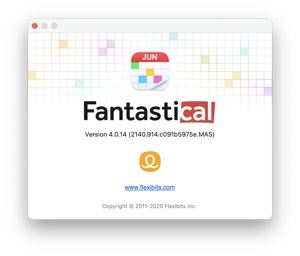
I’ve been using an application called FantastiCal for many years. Generally speaking I try to use the applications supplied in on my iPhone, Computer, and iPad. 

This application is different. When Apple. in their infinite wisdom de-coupled To-Dos from Calendar, I went looking for something different. Apple has since re-coupled To-Dos and Calendar.

FantastiCal did the job and exceeded my needs then, as the years have progressed, they’ve added features that are really slick.

They’ve always had “Natural Language” processing. In FantastiCal you can say something like “Dr. Appointment @ 3pm on July 25th” and FantastiCal will add that to your calendar. Moving appointments is also drag & drop. Being able to duplicate appointments is really handy if you’re having to do a follow-up visit.

For about the past year or two, FantastiCal has provided a method to allow people to request appointments with you. I’ve not used this ability until recently.

In the near future, I’m going to be working on a number of things that will require scheduling and I thought, “Why should I be entering appointments and details manually?”

So a few weeks ago I enabled that part of the system. Now, instead of say, a job recruiter asking me what my availability is for an interview, I can send them a link in a cover letter, and they can pick a time themselves. Hopefully they’ll use the link and help keep me on schedule.

After I’d set up the interview link, I thought why not use the same system for more general meetings?

The cool thing is that the system looks at all my calendars, the private ones, and those that involve more public facing things like interviews, then automatically blocks out times when there is a conflict. It doesn’t disclose what I’m doing, it simply doesn’t list time blocks that are otherwise allocated.

No-one needs to know I’m at the Doctor’s office, they only need to know that I’m not available.

There are a range of ways I can see using this. For example: You have to arrange some kind of home maintenance and the provider asks you use their web site to make the request. So I’m thinking, I’ll include a link showing my availability and allow the provider to just pick a time that works for them, then it will pop up in my calendar. It’s also possible to select times that you’re generally unavailable in the template, so if you’re habitual about walking the dog, or you’re always at a community center on a particular day, you can eliminate that block of time entirely from selection.

FantastiCal has matured this part of their system to the point that you can make a template that requires information when the other person is making the appointment request. “Do you have to be there?”, “Estimated cost”, “ Will the dog have to be inside or outside” etc. Then you can approve the appointment or propose something different if need be.

I’m going to try this out & see where it goes.

FantastiCal has a small learning curve. It took me a while to get things set up in a way that works for me.

Another cool thing is that it can store the information in a way that Apple Reminders and Apple Calendar is also updated. So that information isn’t lost in the event you lose your phone. It’s still available via iCloud.

Recently they’ve introduced a Windows version of the FantastiCal application. 

I haven’t used it, but it might provide an elegant bridge between Windows and iPhone / iPad so that you’re not having to look at multiple systems if you’re making appointments.

I like the FantastiCal method of displaying scheduling information better than the Apple Calendar & Reminders app too.

That being said, I like Apple Reminders for shopping lists. FantastiCal doesn’t do that quite as well.

Hope your day is productive.

WHY? Wednesday evening my phone offered to suspend my alarm for Juneteenth.

Really? 

Why would my phone offer to disable my alarm for that? It’s never offered to suspend any other alarms for other holidays.

Martin Luther King’s birthday – Jan 20, 2025 was on a Monday
Presidents Day – February 17, 2025 another Monday
St Patrick’s Day – March 17th 2025 another Monday
Easter – April 20th 2025 a Sunday
Memorial Day – May 26, 2025 a Monday

But, I get a notification to modify my daily alarm about Juneteenth on a Thursday? What the hell?

I’ll be interested to see if a notification appears for Independence Day July 4th 2025, that’s on a Friday. How about Labor Day September 1st 2025? That’s a Monday

I like the idea of my phone offering to turn off the alarm on a Federal holiday to allow me to sleep in, but wonder if this is just pandering on the part of Apple.

Lesson learned.

Found another box of data CD’s and DVD’s.

I’ve gone through the entire box. 

I always knew I was a data packrat. But this experience has taught me a lesson. 

That lesson boils down to, “What’s the point?”

To be fair, I did recover a few more “important” documents and photos. Those will be sorted into the long term archive on a portable drive hard drive. Nothing made by Western Digital by the way. Their reliability has gone straight into the crapper. 

The rest… Completely useless. Either the disc wouldn’t mount, or it would only mount using Windows but if I got it to mount the data wasn’t worth preserving and probably never was.

Why on earth I stored copies of software that I’d downloaded I’ll never know. That’s not entirely true either. I know why I stored those files. At the time downloads were painfully slow, so if I needed to reinstall something at least I didn’t have to re-download it.

But, where I failed was in purging the obsolete stuff. Also my data storage methods leave a lot to be desired. It would have been one thing if I’d stored all the downloads on a disc helpfully labeled “Downloaded Software” and put a date on it.

Then just by looking at the date, I’d have been able to toss the disc without fear of something being unrecoverable. As fast as software is updated (even then) most of these programs were obsolete by the time I burned them to a disc in the first place.

Then there were the original discs that I purchased off the shelf. Those too appear to have been damaged by time and perhaps the heat from the house fire. I was able to recover some fonts but honestly it wasn’t worth the effort.

So, next to my chair here, I’ve got a stack of discs and their cases all destined for the trash.

When I say stack, what I really mean is a trash bag full.

I get why Apple stopped building CD/DVD burners into their computers. The world has moved on. I also found a bunch of floppy discs. 

For just a moment, I wondered if I could get a cheap floppy drive just to see what’s on those. I could, but then I thought, “Why?” It’s not like any of that data is launch codes or access codes to a vault or anything. I’m not working in the government or at the FAA after all.

I’ve got a ton of memory sticks and portable hard drives that are also in various states of decay. I’ve even got some network storage drives laying around that are shot for no apparent reason. Those that worked, I’ve transferred to the big network drive and that unit is happily searching for, and deleting duplicates.

As I’ve been working my way through all of this It occurred to me that I should go through the archive folder on the big drive and purge any software that I’m not currently using. That’s a project for later… Much Later!

Another dumb thing I did back in the day was zipped files or used other types of compression when I burned stuff to CDs.

At the time it made sense because I was trying to save space. From a long term storage point of view it was dumb because so many of those early compression techniques have been rendered obsolete. 

So for the future, I’m not compressing shit when I archive it. Turns out encrypting “important stuff” was also a mistake. Why? Because the encryption formats I used are no longer available even though I know the passwords or pass phrases.

To access some of this data, I’d have to have a computer from the period, and dig up a copy of the software I used to compress or encrypt it.

All of which is to say, nothing is permanent and unless you stay on top of changing standards decrypting and re-encrypting as time goes on, your data is going to be lost.

In other words it’s a maintenance nightmare.

I suppose, one could write a script or something that kicked off periodically to perform the maintenance but then you lose all time context since you’d be essentially recreating the files with every maintenance pass. I guess that problem could be worked around by updating some kind of text index preserving the original creation date and subsequent maintenance cycle date with each pass.

The point is, why? Do any of us have data that’s really all that important?

Which leads me to a larger lesson. If something isn’t being used, and it’s just stuck away in a closet or basement occupying space. You’re probably better off just tossing it in the trash.

At least then when you move, you don’t have to agonize over what to keep and what to toss.