Rain & Thunder on a Saturday evening.

The thunder & lightening in the sky mirrors my mood at the moment, But I love it so much I’m calming down rapidly enjoying the sound of rain on the roof, and rumbling in the sky.

It’s so calming for me. Even Jesse seems to be enjoying it. He’s curled up in the chair, head on the arm snoozing. He’s completely unbothered by the noise and that bodes well if we move someplace in the future that has weather.


What had me raging was I love the modern age!

NOT!

I’ve finally gotten to the point that I’m ready to donate Jerry’s car to a charity organization. It’s got over 300K miles on it, still runs, (although at the moment the battery is dead.) Nothing though that a little time on the battery charger wouldn’t fix.

So, I called the same veterans donation organization I called last year to get rid of the dead trucks. 

Last year, getting rid of two trucks took one phone call to these folks. They collected the information, and they scheduled the pickup date in one phone call. They showed up on time, we filled out some paperwork and that was that. Military precision and efficiency.

96 hours later they sent me an email telling me what the trucks had sold for at auction and appropriate tax information.

It was a good experience. So I called them again on Thursday.

This time I was talking to a heavily accented Indian woman. Sigh…Last year it was an American dude, possibly a veteran. This year there was question after question and the woman was having a hard time understanding the answers. Last year, the guy answering the phone answered with the name of the organization I was donating to. The questions were few and straight forward.

This year the woman answered the phone as some weird donation firm and when I asked if she was part of the actual organization I was trying to donate to, she hemmed and hawed about it then said she was part of some donation clearing house that would direct my donation to the proper organization. Uhh, Okaaaay.

She didn’t schedule anything, she said someone would be calling me later. They didn’t call, they sent 4 text messages, and 3 emails. From a completely different organization. Okaaaay. One of the emails had a link to schedule the pickup. I clicked  the link and scheduled a pickup for Monday. I got 2 more text messages and an email confirming the pickup date.

I heard nothing on Friday from any of the (now three) organizations.

This morning I was out walking the dog, then came home dropped him off at home and went out to run some errands. At some point my phone must’ve rung, but I didn’t hear it and didn’t look at my phone until I got home.

There was a voicemail, again heavily accented that said, “I’m calling you regarding your vehicle to be picked up.” That was it, nothing else.

AND????

About the time I’m thinking what the hell, and fuming about the complete lack of telephone etiquette, I get another text message and an email from the third organization saying that the pickup had been cancelled.

The email was asking if I still wanted to donate.

What the actual FUCK? Now I’ve got four different organizations involved in this chain of Clusterfuckery and apparently the vehicle is not going to be picked up.

Well yes, I do still want to donate the vehicle, but not to you!

What the hell is wrong with people? Do they not think that perhaps someone might have other things to do than exist to answer their phone calls?

I’ll find someone else, preferably someone that does not involve any of the last three organizations.

I mean, why is everything so damn complex?

Oh well, back to listening to the thunder and rain on the roof.

For the first time in a very long while…

I’m actively considering downgrading from an Apple update.

IOS 26 is pretty on my phone. It’s also pretty on my watch. But it’s very annoying.

Notifications half the time don’t show up on either my watch or my phone. Sometimes on one but not on the other, and sometimes on both. There’s no rhyme or reason to it.

I’ve checked and rechecked the settings and all the troubleshooting steps I can think of, and those suggested by Apple. Even turning off the “New” features doesn’t help.

How they could fuck up something that worked so well, is beyond me. I mean phone calls, and messages from known contacts not ringing? REALLY? That’s kind of basic stuff.

Thing is, it’s not any glaring “This is IT,” issue. It’s death by a thousand cuts. It’s little things.

For example, when starting a workout on my watch. In IOS18 I’d hit the action button on my ultra, that would take me to a list of workouts I’d done in the past. It was logically sorted by most frequent. I could tap the workout I was going to do and be off.

Now, hitting the action button takes me to the last workout I did. FULL SCREEN, No list, with a “Play” button.

If I want to select something else, I’ve got to roll the crown to see other selections.

They added an un-necessary complication to the process. The previous way was clean, direct, and simple.

It’s a minor thing, but it’s annoying. Then on the phone side you’ve got live activities which is fine and maybe even useful. But if you open the fitness app even after you’ve completed a workout and stopped it using the watch, there’s a screen showing the summary of that completed workout with a green check in the upper right hand corner.

Okay, but what I wanted out of the fitness app was something completely different, and now I’m forced to press the green checkmark to get to the underlying data screens in the fitness app.

Again another unnecessary step.

The whole of the OS is filled with extra, unnecessary steps that make working with my phone like answering 50 questions at a damn gas pump.

I just want gas! Take my money and turn on the fucking pump!

I’m not having a battery drain issue with my phone as so many others are, Because I’m not using it. Really, I’ve noticed I’m going to my computer for even the slightest bit of information.

Maybe this is just settling in stuff. Maybe I’ll get used to it. But I don’t need an interrogation from a device that is supposed to be my assistant, every time I interact with it.

Maybe this is just the age we live in.

Even researching the roll back process is annoying. I entered a search on how to roll back then found an article from Macobserver, fine. I tapped on the link, then Macobserver wanted age verification. WHAT? Then they wanted me to click on a check box the proved I was human. Then cloudflare pops up with a “Verifying” dialog and I still hadn’t gotten to the fucking article.

Why does everything have to be so complicated? I bailed on their page and made a different selection. Even then I was pounded with cookie notifications, an AI chat box to help answer my question, a Google login prompt, and some EU notification. ALL OF WHICH prevented me from reading a text article related to the question I asked. I couldn’t even see the title of the article to verify if it was what I actually wanted.

I bailed on that page, and went to the next listing in line. Finally! There was an article describing the process without all the bullshit!

Maybe I’m just cross.

Then again, maybe I’m just sick of bullshit at every turn of my existence.

It looks like downgrading from IOS 26, while possible, has a rather high risk of fucking up my phone, and data. I’ll have to reach a much higher level of annoyance before I undertake that project.

It’s got me thinking though.

I’m convinced that dumping the web hosting and this blog entirely, is in fact the right thing for me to do. It’s become such a headache I’m not interested anymore.

Between endless demands from the EU regulators to verify the owner and contact information on every single web domain, and them telling me that they’re implementing new rules to protect the delicate sensibilities of their members. I’m over it.

Gee Thanks Obama! You fucking moron! Turning over the domain registration to the EU was a fucking brilliant idea!

Well, the internet was a good idea, while it lasted…

I wonder if I can still get a print version of Encyclopedia Britannica? Why yes… it’s 2K on Amazon.

Well now I’ve got their attention.

Microsoft Word Logo.Microsoft increased their “Personal” subscription price for Office 365 from something like $65 to $99 per year.
I’ll admit that’s not a lot of cash.

The problem is I barely used Microsoft software.

Outlook wasn’t any better than the mail client supplied with MacOS. The Apple email client works instantly and easily across all Apple devices. For its faults, it is reliable and doesn’t require for you put your contacts on Microsoft servers to be blasted across all their properties like LinkedIn and such.

In the entire time I’ve had Microsoft office, I don’t think I ever used PowerPoint for anything personal. I used it at work, but not at home. Excel, got more use, but not enough to justify the cost.

Word was about the only application I used with any frequency. As Word has evolved, it’s become less pleasurable and more annoying to use. So I wasn’t using it as much either. I was using Pages, Ulysses, or Scrivner. The latter two are configured more for writing things like stories. They’re clean and focused on their purpose. 

As I looked at the renewal. I realized it was the same price for 4 applications on a Mac as the price for what? 6 applications on Windows, and that I was really only using 25% of the Mac applications, I decided not to renew.

I made the decision about a month ago. The expiration date came & went. I’ve removed the Microsoft applications from my devices and now, I’m getting email notifications saying my subscription has lapsed and I should re-subscribe immediately to regain the benefits provided by their products.

Nope. Not interested. I’ve got a decent desktop publishing application, and Apple’s Pages for word processing documents. What Word or Pages couldn’t or can’t do, the desktop publisher can. Apple’s Numbers, and Keynote handle spreadsheets and presentations.

I’ve never used Keynote either. Nothing against it, I just don’t do that kind of presentation thing. I could, but why? I’m not presenting anything to anybody these days.

All the Apple apps read Microsoft formatted documents, they can output Microsoft compatible files and PDF documents if I need to share something, and they’re free.

Plus, I just saved 3 GB, (4 GB if you count Outlook which I’d purged a long time ago,) of space on my internal drive.

The Apple products all have the ability to back up versions, and like the Microsoft versions can save their data to cloud based storage. In the case of Microsoft, they insist that you use their cloud and refuse to turn on backups of documents unless the document is saved in their cloud.

Apple products likewise prefer to save their documents in the Apple Cloud which is end to end encrypted, and which through the use of Apple’s AFP system are encrypted in the cloud so that supposedly, even Apple can’t hack them.

I never much liked Microsoft’s cloud solution either and therefore didn’t use it.

This leads me to wonder about maintaining Windows on my Mac. Most of the apps that I routinely use are available on the Mac, so the reason for maintaining VMWare and running Windows is greatly diminished. VMWare having been sold and their subsequent moves regarding VMWare Fusion (the Mac VMWare) also calls into question the necessity to allocate 40GB of disk storage there. I don’t recall the last time I fired up VMWare or the Windows system. It’s Windows 11 which is okay, but there’s not much point in having it, if I’m not going to use it.

Thinking about it, and that my job search is going nowhere, maybe I should just back it up to the NAS and flush it from my Mac. If I need it, I can pull it from the NAS, if I don’t need it, It won’t be taking up space needlessly and I’ll know the answer.

Besides, it might be better to do away with VMWare and instead go to Parallels in the event that I need Windows on the Mac. Perhaps a better solution would be that if due to employment needs, I need a Windows machine, I just buy a cheap assed Windows laptop. Those are a dime a dozen.

This may be a stepping off point from Microsoft for me. They have nothing that I can’t get elsewhere. I have to point out that Pages, opens native Word docs faster than Word does on my Mac. That’s pretty darn interesting.

Wow, That was annoying!

Holy Shit! What a pain in the ass!

So I’m changing doctors. This guy is recommended and far more local to me than the guy in San Diego. I hadn’t switched previously because, well anything to do with the Medical industrial complex is always a royal pain in the ass. I figured I’d spare myself the annoyance until I really needed to deal with it.

Welp, it’s that time.

I initiated the “Get to know you,” appointment. It’s next Wednesday.

The practice sent me an innocuous reminder text. Okay, at least it wasn’t the 3 text reminders, 2 phone calls, and 2 emails that the BMW dealer sent me about the car service I’d scheduled. 

Do people just not keep any appointments anymore?

I clicked on the little link and was taken to their patient portal on my iPad. (I’ll often use my iPad like this as a firewall keeping my phone and computer isolated. Because it’s a lot easier to deal with flushing and reloading the iPad than the other two in the event it’s a scam.)

Their link took me to a patient intake form. Okay, that was reasonable. I could fill out all the bullshit ahead of time instead of doing it on an annoying clipboard in a waiting room full of sick people, wondering what exactly I was being exposed to as however many of them tried to hack up one of their lungs. 

Things were humming along nicely until I got to a couple of screens that presented no exit. Their software vendor had neglected to consider the possibility that a patient would be using an iPad with one of Apple’s Magic Keyboards.

Rotating the iPad didn’t reveal the “NEXT” button because I’d already begun entering data in the landscape format the Magic Keyboard presented data in.

So screwed! I tried handing off the input to the computer, but their wondrous Indian programmers must’ve thought that wasn’t something anyone would do, so they’d locked that out. I couldn’t scroll further up because again, the wondrous Indian programmers never thought about accessibility and what might happen if they’d misread the screen size. If someone had accessibility turned on, with the text being larger, then the user would be locked into a frustrating situation as well.

I reinitiated the session on my computer from scratch. In the full web page I could access the “NEXT” button. Okay… Moving on.

On the full size display they presented a typical “left hand” menu. In fact it was a progress bar not a menu. So while it looked like you could go back to correct mistakes… Nope! You couldn’t. You could restart a section, losing all the data you’d entered but you couldn’t just step back a step.

For example, They asked about hospitalizations, then they asked about surgeries. I couldn’t see the surgeries section until I’d completed the hospitalization section. SO the form is incorrectly filled out because in both cases surgeries were performed in hospitalization settings under anesthesia.

Then I couldn’t go back to actually fix the issue by entering the hospitalization dates followed by the surgery types and dates.

Annoying!

Don’t even get me started on the upload of ID and insurance card. The insurance card had a “Cropping feature” that didn’t work correctly. And the Insurance section did not properly scan the insurance card nor did it allow me to fill in the missing data.

Sigh…

Shitty software really pisses me off. 

It’s a damn good thing I wasn’t doing a LIVE BP reading.

Then they wanted signatures. Which would have been easy on the iPad but I wasn’t filling out the forms on the iPad. 

The iPad and Mac have a nifty function that will allow you to use an Apple Pencil to sign forms displayed on a web page. You can tell the computer to access the iPad for a signature. However the glorious Indian programmers had once again disabled that function.

What they in their infinite wisdom had not disabled was the ability to hand the web page displayed on the computer to the iPad so I pushed it all back to the iPad and provided the requested signatures.

Moving On…

Later in the process I encountered the “Next” button issue again. But guess what? I couldn’t had the iPad data back to the computer.

Okay… reinitiate the process on the computer and hope that the entered data had actually been posted to the profile.

Most of it was saved, so back to using the computer.

Moving On…

Finally I got the whole shebang filled out and figured I’d correct whatever was fucked up when I got to the damn appointment.

Then, they wanted me to download their patient portal app on my phone. OH GOD…

That went fairly smoothly, since I knew what kind of bugs were likely to crop up.

On the phone app, instead of a password, they wanted a 6 digit PIN.

I ask you, what the fuck is the point of a PIN when you’ve already saved a perfectly good password in the apple passwords application, and that application is more than capable of presenting that password across all apple devices? Just another fucking thing to remember!

There’s 2 hours of my life I’ll never get back, but it’s done. 

This kind of thing is exactly why you need a manual tester to actually look at software before you publish your bullshit to the world.

There are a lot of people my age for whom this would have been too daunting to complete. I also have to ask, “Why did I give all this information to their clerk when I made the fucking appointment? None of it was entered into their system!” Equally I’m curious why medical expenses are so high if I’m doing the keyboard entry for them. I ask the same question using self checkout at stores.

I’ve started not paying for bags, even though I use them. If I’m doing the work of a cashier, the least they can do is let me take my earnings in a couple of bags.

While I was off the hill the other day getting the car serviced I took care of another little medical annoyance.

I needed to pick up a RX from Walgreens. I’d chosen the Fontana location since it was relatively close to the house. It was a cluster fuck of EPIC proportions. 

I’d placed an RX request via their application on Monday. They sent me an email saying it would be ready on Wednesday and there I was on Thursday trying to pick it up.

They had it, one bitch had it in her hand, a full 90 day supply but even after taking my insurance info, confirming that I could have the RX, they told me I’d have to come back one hour later because they were closed for lunch. Uhhh I was right there, they were right there, the medication was right there and it was 15 minutes till their lunch time.

Their whole process was a complete clusterfuck. Fine! I had lunch, paid $3 for a bottle of coke and $11 for a mostly bread sandwich and waited.

When I was done with lunch, I wandered around the Walgreens, sizing them up for other supplies. I picked up some Flonase while I was there. Then waited in line for another hour to get my ZERO charge bottle of meds.

The delay put me in shitty traffic all the way home.

Walgreens, is probably not going to be my pharmacy of choice. Or at least not THAT Walgreens. It was 107° down there. By the time I got home I was drained. I couldn’t think, or concentrate.

So I lost another day.

I need to find a way to get 90 day prescriptions because I don’t want to have prescription anxiety. You know, “Oh I can’t leave yet, I have to wait for the RX to be authorized and I’m allowed to pick it up,” every month.

I intensely dislike going to pharmacies. I hate everything about their officious “See we’re medical people in our scrubs, we can make you dance hahahaha, we’re so important,” attitude.

No, you pack of idiots, you count pills from one bottle to another bottle. The hardest thing you have to do is decide what size paper bag to put those pill bottles in. The pharmacist is only one of you who has completed higher education.

Perhaps I’m just cranky! 

Next week is the Doctor’s appointment and we’ll be revisiting the BP meds, and other issues.

All I can say is this guy better live up to his reputation and the recommendations. Otherwise I’m going to be really cranky!

Well that was a pain in the butt!

On the evening of July 4th, I was done watching the usual movie marathon. My knee was killing me, and I couldn’t sleep. 

Modemdanrouter 1 3508458483.Reading wasn’t working. I kept reading the same page over and over. I’d managed to walk the pup but it was not an easy walk. I’m still proud I put my big boy pants on and did it. But when we were done, I was hurting.


The knee is a bit better today.

Friday night though, I decided I wanted a little fun so I fired up the playstation. I was going to mindlessly blow stuff up and shoot zombies. It was s simple request. 

14d8385d59e614e0e5fea8fa5e140aa96a46622d7f836a7a 320292119.

It failed!

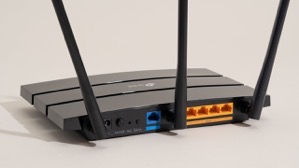
Turns out that somehow after the last power down of my equipment (so Edison could power down the grid, then didn’t…) My router either didn’t shut down right or corrupted a routing table.

This meant that for some reason most, and I mean almost everything dependent on internet access was working fine. I don’t use the playstation daily or even weekly so I didn’t notice.

There was something a week or so ago when I wanted to watch a movie from Amazon in surround sound. That particular night, the movie would start and play fine for a random period of time then suddenly freeze. I thought the problem was on amazon’s side and gave up after a couple of restarts.

Friday night, I couldn’t get the inevitable and requisite update to Call of Duty to download. There’s ALWAYS a download that must be installed with Call of Duty and frankly, I think it’s killing the franchise. Well, that and the story lines are kind of repetitive, plus now they’re doing this whole Season thing to milk more money out of Call of Duty fans. Honestly, I miss the days of plunking the DVD in the game station and just being able to play the damn game! 

6523167_bd 1882026385.I digress!

After repeated attempts, I switched to Borderlands and shot zombies. Saturday morning, I checked the network, the devices, and everything looked completely normal except that the Call of Duty download was still incomplete and claimed that it couldn’t use the DNS server provided.

Nothing else was having difficulty so I reset the playstation’s wifi connection & restarted the machine again. Still the problem persisted. It didn’t make sense, I half contemplated just hardwiring the playstation via a LAN cable. Doing so would probably have corrected the problem, but wouldn’t have answered the “WHY” of the problem.

Not having any better idea, I restarted the router.

That’s when everything went to shit!

When the router came back up, it started connecting to all of the devices it normally talks to then one by one devices started inexplicably dropping off wifi, then they’d come back. Something was very definitely wrong. 

I restarted the router again, this time all the devices came back online and remained except for one.

Turns out, the playstation and another device on the network were somehow interfering with each other. Both devices appeared to have the same identifiers and ip addresses. That’s a “can’t happen” situation and yet… here we were.

The routing table that is maintained internally by the router was somehow horribly corrupt. It took a several tries, and multiple reboots to get the router to let it go and purge the whole table. I thought I was going to have to reset the router entirely to factory default and reconfigure it from scratch. Somehow, probably due to a software update to the router, a portion of the table wouldn’t clear. The router was also randomly ignoring the command to purge the internal routing table

Nest protect.Not a big deal, just a pain in the ass.

However, it’s taken me most of the morning to troubleshoot, correct, and reconfigure all the devices. Some of them were extremely pissed off at the configuration “Changes”. 

The Call of Duty update has downloaded and installed. 36GB? Really? You’ve got to be kidding me!

I’m testing the playstation’s connectivity with mindless streaming of music right now. Maybe I’ll tell it to playback all of a television series while I go about my daily activities, just to make sure it’s rock solid again.

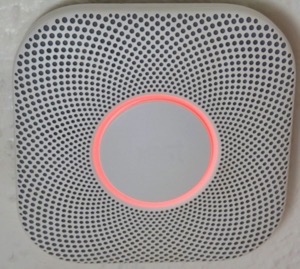
All of the other devices are back online. The last of the Nest Protects will probably go offline in the next month (it’s reaching the end of life and when Protects expire they’re quite adamant about it. And always at 3AM!) That will leave only the Nest thermostat which depending on other factors, I’ll either keep and use in manual mode, or replace with someone else’s smart thermostat. 

61JXDF3eObL. AC SL1500 -1355589408.I’ve been debating not bothering, but I like being able to have the house at some kind of reasonable temperature when I get home and at the same time not cooling or heating the house needlessly. Simple Scheduling works fine, IF you’ve got regular hours like leaving for work and returning at some predetermined time.

In winter I don’t mind the house being 55°F while I’m asleep, even colder if I’m not home. I’ve got blankets on the bed for nighttime. But I really like the house being 67° or so when I wake up or when I come home. I suppose I could use a schedule, but I like being able to get up in the middle of the night when I’m not sleeping well, and tell Siri to make the house comfortable. The newer smart thermostats appear to have the ability to use Apple home or other systems to anticipate your arrival. Yes, that’s kinda creepy but I’ll allow the creep factor to some extent if it’s under my control and convenient.

Okay, I’m spoiled! You know what? I’m worth it.

Speaking of spoiled. I’m still moving very slow with the knee. Maybe I’ll spend extravagantly on a nice long professional massage this week or next. I don’t think the problem is mechanical per se. I think it’s just a bunch of muscles have seized up from me going up & down the ladder so much working on the house.

I’ve been putting it off because I don’t want to spend the money and then undo the relaxation by going right back to what I did that caused the problem in the first place.

I may have little choice now.

After all of this one thing bears repeating:

The problem with technology reliant processes is, without the ability to bypass technology when it malfunctions, you’re left at its mercy.


UPDATE:

I ended up factory defaulting the router. The playstation was still having problems that made little sense.

I went through the whole reconfiguration process again. Since I had to go back to factory default, I took the opportunity to install higher security on the router.

I also enabled the HomeKit protection built into the router. This feature adds some firewalls to smart devices supposedly to protect them from hackers using smart devices to gain access to a home network. I have no idea how well it works but since it’s available I figured I’d give it a whirl.

While I was at it I enabled another feature that puts the smart devices on their own subnet. This further isolates smart devices from the main network while maintaining normal functionality. It’s kind of a pain in the butt from a configuration standpoint but does provide a little more security.

In the process, I discovered a couple more things. 1) There’s a lot more radar (from full self driving cars) in the area than I thought. 2) Someone in the neighborhood has something (no clue what) that’s blasting all kinds of RF (Radio Frequencies) at random intervals. I’m not sure, but I’d swear someone is using a microwave without a door! I guess they’re watching the food cook, and probably cooking their brains too. One can only hope!

I’d been putting off enabling or adding these security features precisely because it would require reconfiguration of the entire network.

Since I was already having to do the reconfiguration, it made sense to take care of the security issues at the same time.

The down side is that now I’ve got essentially a whole new network and that means some shake down time and tweaks.

If I’m really lucky, I may be able to tell the router to go stealth mode. Meaning that I can stop broadcasting its name. If nobody knows the network name, because it’s not showing up when they ask their devices to connect to WiFI, then it’s less likely they’ll want to mess with it.

I could see some libtard taking issue with my network name and messing with it just because they were offended. That’s the world we live in now.