Wow, That was annoying!

Holy Shit! What a pain in the ass!

So I’m changing doctors. This guy is recommended and far more local to me than the guy in San Diego. I hadn’t switched previously because, well anything to do with the Medical industrial complex is always a royal pain in the ass. I figured I’d spare myself the annoyance until I really needed to deal with it.

Welp, it’s that time.

I initiated the “Get to know you,” appointment. It’s next Wednesday.

The practice sent me an innocuous reminder text. Okay, at least it wasn’t the 3 text reminders, 2 phone calls, and 2 emails that the BMW dealer sent me about the car service I’d scheduled. 

Do people just not keep any appointments anymore?

I clicked on the little link and was taken to their patient portal on my iPad. (I’ll often use my iPad like this as a firewall keeping my phone and computer isolated. Because it’s a lot easier to deal with flushing and reloading the iPad than the other two in the event it’s a scam.)

Their link took me to a patient intake form. Okay, that was reasonable. I could fill out all the bullshit ahead of time instead of doing it on an annoying clipboard in a waiting room full of sick people, wondering what exactly I was being exposed to as however many of them tried to hack up one of their lungs. 

Things were humming along nicely until I got to a couple of screens that presented no exit. Their software vendor had neglected to consider the possibility that a patient would be using an iPad with one of Apple’s Magic Keyboards.

Rotating the iPad didn’t reveal the “NEXT” button because I’d already begun entering data in the landscape format the Magic Keyboard presented data in.

So screwed! I tried handing off the input to the computer, but their wondrous Indian programmers must’ve thought that wasn’t something anyone would do, so they’d locked that out. I couldn’t scroll further up because again, the wondrous Indian programmers never thought about accessibility and what might happen if they’d misread the screen size. If someone had accessibility turned on, with the text being larger, then the user would be locked into a frustrating situation as well.

I reinitiated the session on my computer from scratch. In the full web page I could access the “NEXT” button. Okay… Moving on.

On the full size display they presented a typical “left hand” menu. In fact it was a progress bar not a menu. So while it looked like you could go back to correct mistakes… Nope! You couldn’t. You could restart a section, losing all the data you’d entered but you couldn’t just step back a step.

For example, They asked about hospitalizations, then they asked about surgeries. I couldn’t see the surgeries section until I’d completed the hospitalization section. SO the form is incorrectly filled out because in both cases surgeries were performed in hospitalization settings under anesthesia.

Then I couldn’t go back to actually fix the issue by entering the hospitalization dates followed by the surgery types and dates.

Annoying!

Don’t even get me started on the upload of ID and insurance card. The insurance card had a “Cropping feature” that didn’t work correctly. And the Insurance section did not properly scan the insurance card nor did it allow me to fill in the missing data.

Sigh…

Shitty software really pisses me off. 

It’s a damn good thing I wasn’t doing a LIVE BP reading.

Then they wanted signatures. Which would have been easy on the iPad but I wasn’t filling out the forms on the iPad. 

The iPad and Mac have a nifty function that will allow you to use an Apple Pencil to sign forms displayed on a web page. You can tell the computer to access the iPad for a signature. However the glorious Indian programmers had once again disabled that function.

What they in their infinite wisdom had not disabled was the ability to hand the web page displayed on the computer to the iPad so I pushed it all back to the iPad and provided the requested signatures.

Moving On…

Later in the process I encountered the “Next” button issue again. But guess what? I couldn’t had the iPad data back to the computer.

Okay… reinitiate the process on the computer and hope that the entered data had actually been posted to the profile.

Most of it was saved, so back to using the computer.

Moving On…

Finally I got the whole shebang filled out and figured I’d correct whatever was fucked up when I got to the damn appointment.

Then, they wanted me to download their patient portal app on my phone. OH GOD…

That went fairly smoothly, since I knew what kind of bugs were likely to crop up.

On the phone app, instead of a password, they wanted a 6 digit PIN.

I ask you, what the fuck is the point of a PIN when you’ve already saved a perfectly good password in the apple passwords application, and that application is more than capable of presenting that password across all apple devices? Just another fucking thing to remember!

There’s 2 hours of my life I’ll never get back, but it’s done. 

This kind of thing is exactly why you need a manual tester to actually look at software before you publish your bullshit to the world.

There are a lot of people my age for whom this would have been too daunting to complete. I also have to ask, “Why did I give all this information to their clerk when I made the fucking appointment? None of it was entered into their system!” Equally I’m curious why medical expenses are so high if I’m doing the keyboard entry for them. I ask the same question using self checkout at stores.

I’ve started not paying for bags, even though I use them. If I’m doing the work of a cashier, the least they can do is let me take my earnings in a couple of bags.

While I was off the hill the other day getting the car serviced I took care of another little medical annoyance.

I needed to pick up a RX from Walgreens. I’d chosen the Fontana location since it was relatively close to the house. It was a cluster fuck of EPIC proportions. 

I’d placed an RX request via their application on Monday. They sent me an email saying it would be ready on Wednesday and there I was on Thursday trying to pick it up.

They had it, one bitch had it in her hand, a full 90 day supply but even after taking my insurance info, confirming that I could have the RX, they told me I’d have to come back one hour later because they were closed for lunch. Uhhh I was right there, they were right there, the medication was right there and it was 15 minutes till their lunch time.

Their whole process was a complete clusterfuck. Fine! I had lunch, paid $3 for a bottle of coke and $11 for a mostly bread sandwich and waited.

When I was done with lunch, I wandered around the Walgreens, sizing them up for other supplies. I picked up some Flonase while I was there. Then waited in line for another hour to get my ZERO charge bottle of meds.

The delay put me in shitty traffic all the way home.

Walgreens, is probably not going to be my pharmacy of choice. Or at least not THAT Walgreens. It was 107° down there. By the time I got home I was drained. I couldn’t think, or concentrate.

So I lost another day.

I need to find a way to get 90 day prescriptions because I don’t want to have prescription anxiety. You know, “Oh I can’t leave yet, I have to wait for the RX to be authorized and I’m allowed to pick it up,” every month.

I intensely dislike going to pharmacies. I hate everything about their officious “See we’re medical people in our scrubs, we can make you dance hahahaha, we’re so important,” attitude.

No, you pack of idiots, you count pills from one bottle to another bottle. The hardest thing you have to do is decide what size paper bag to put those pill bottles in. The pharmacist is only one of you who has completed higher education.

Perhaps I’m just cranky! 

Next week is the Doctor’s appointment and we’ll be revisiting the BP meds, and other issues.

All I can say is this guy better live up to his reputation and the recommendations. Otherwise I’m going to be really cranky!
Well that was a pain in the butt!

On the evening of July 4th, I was done watching the usual movie marathon. My knee was killing me, and I couldn’t sleep. 

Modemdanrouter 1 3508458483.Reading wasn’t working. I kept reading the same page over and over. I’d managed to walk the pup but it was not an easy walk. I’m still proud I put my big boy pants on and did it. But when we were done, I was hurting.


The knee is a bit better today.

Friday night though, I decided I wanted a little fun so I fired up the playstation. I was going to mindlessly blow stuff up and shoot zombies. It was s simple request. 

14d8385d59e614e0e5fea8fa5e140aa96a46622d7f836a7a 320292119.

It failed!

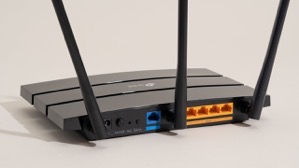
Turns out that somehow after the last power down of my equipment (so Edison could power down the grid, then didn’t…) My router either didn’t shut down right or corrupted a routing table.

This meant that for some reason most, and I mean almost everything dependent on internet access was working fine. I don’t use the playstation daily or even weekly so I didn’t notice.

There was something a week or so ago when I wanted to watch a movie from Amazon in surround sound. That particular night, the movie would start and play fine for a random period of time then suddenly freeze. I thought the problem was on amazon’s side and gave up after a couple of restarts.

Friday night, I couldn’t get the inevitable and requisite update to Call of Duty to download. There’s ALWAYS a download that must be installed with Call of Duty and frankly, I think it’s killing the franchise. Well, that and the story lines are kind of repetitive, plus now they’re doing this whole Season thing to milk more money out of Call of Duty fans. Honestly, I miss the days of plunking the DVD in the game station and just being able to play the damn game! 

6523167_bd 1882026385.I digress!

After repeated attempts, I switched to Borderlands and shot zombies. Saturday morning, I checked the network, the devices, and everything looked completely normal except that the Call of Duty download was still incomplete and claimed that it couldn’t use the DNS server provided.

Nothing else was having difficulty so I reset the playstation’s wifi connection & restarted the machine again. Still the problem persisted. It didn’t make sense, I half contemplated just hardwiring the playstation via a LAN cable. Doing so would probably have corrected the problem, but wouldn’t have answered the “WHY” of the problem.

Not having any better idea, I restarted the router.

That’s when everything went to shit!

When the router came back up, it started connecting to all of the devices it normally talks to then one by one devices started inexplicably dropping off wifi, then they’d come back. Something was very definitely wrong. 

I restarted the router again, this time all the devices came back online and remained except for one.

Turns out, the playstation and another device on the network were somehow interfering with each other. Both devices appeared to have the same identifiers and ip addresses. That’s a “can’t happen” situation and yet… here we were.

The routing table that is maintained internally by the router was somehow horribly corrupt. It took a several tries, and multiple reboots to get the router to let it go and purge the whole table. I thought I was going to have to reset the router entirely to factory default and reconfigure it from scratch. Somehow, probably due to a software update to the router, a portion of the table wouldn’t clear. The router was also randomly ignoring the command to purge the internal routing table

Nest protect.Not a big deal, just a pain in the ass.

However, it’s taken me most of the morning to troubleshoot, correct, and reconfigure all the devices. Some of them were extremely pissed off at the configuration “Changes”. 

The Call of Duty update has downloaded and installed. 36GB? Really? You’ve got to be kidding me!

I’m testing the playstation’s connectivity with mindless streaming of music right now. Maybe I’ll tell it to playback all of a television series while I go about my daily activities, just to make sure it’s rock solid again.

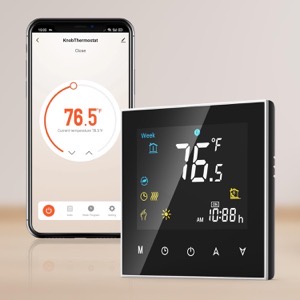
All of the other devices are back online. The last of the Nest Protects will probably go offline in the next month (it’s reaching the end of life and when Protects expire they’re quite adamant about it. And always at 3AM!) That will leave only the Nest thermostat which depending on other factors, I’ll either keep and use in manual mode, or replace with someone else’s smart thermostat. 

61JXDF3eObL. AC SL1500 -1355589408.I’ve been debating not bothering, but I like being able to have the house at some kind of reasonable temperature when I get home and at the same time not cooling or heating the house needlessly. Simple Scheduling works fine, IF you’ve got regular hours like leaving for work and returning at some predetermined time.

In winter I don’t mind the house being 55°F while I’m asleep, even colder if I’m not home. I’ve got blankets on the bed for nighttime. But I really like the house being 67° or so when I wake up or when I come home. I suppose I could use a schedule, but I like being able to get up in the middle of the night when I’m not sleeping well, and tell Siri to make the house comfortable. The newer smart thermostats appear to have the ability to use Apple home or other systems to anticipate your arrival. Yes, that’s kinda creepy but I’ll allow the creep factor to some extent if it’s under my control and convenient.

Okay, I’m spoiled! You know what? I’m worth it.

Speaking of spoiled. I’m still moving very slow with the knee. Maybe I’ll spend extravagantly on a nice long professional massage this week or next. I don’t think the problem is mechanical per se. I think it’s just a bunch of muscles have seized up from me going up & down the ladder so much working on the house.

I’ve been putting it off because I don’t want to spend the money and then undo the relaxation by going right back to what I did that caused the problem in the first place.

I may have little choice now.

After all of this one thing bears repeating:

The problem with technology reliant processes is, without the ability to bypass technology when it malfunctions, you’re left at its mercy.


UPDATE:

I ended up factory defaulting the router. The playstation was still having problems that made little sense.

I went through the whole reconfiguration process again. Since I had to go back to factory default, I took the opportunity to install higher security on the router.

I also enabled the HomeKit protection built into the router. This feature adds some firewalls to smart devices supposedly to protect them from hackers using smart devices to gain access to a home network. I have no idea how well it works but since it’s available I figured I’d give it a whirl.

While I was at it I enabled another feature that puts the smart devices on their own subnet. This further isolates smart devices from the main network while maintaining normal functionality. It’s kind of a pain in the butt from a configuration standpoint but does provide a little more security.

In the process, I discovered a couple more things. 1) There’s a lot more radar (from full self driving cars) in the area than I thought. 2) Someone in the neighborhood has something (no clue what) that’s blasting all kinds of RF (Radio Frequencies) at random intervals. I’m not sure, but I’d swear someone is using a microwave without a door! I guess they’re watching the food cook, and probably cooking their brains too. One can only hope!

I’d been putting off enabling or adding these security features precisely because it would require reconfiguration of the entire network.

Since I was already having to do the reconfiguration, it made sense to take care of the security issues at the same time.

The down side is that now I’ve got essentially a whole new network and that means some shake down time and tweaks.

If I’m really lucky, I may be able to tell the router to go stealth mode. Meaning that I can stop broadcasting its name. If nobody knows the network name, because it’s not showing up when they ask their devices to connect to WiFI, then it’s less likely they’ll want to mess with it.

I could see some libtard taking issue with my network name and messing with it just because they were offended. That’s the world we live in now.

Learned something interesting, call this a PSA

I was working on the front of the house. I also happened to be precariously balanced on a ladder when an Amazon delivery driver stopped to deliver something to me.

The driver did absolutely nothing wrong. She walked into the driveway and said, “Excuse me” It was all very proper and respectful, she’d correctly judged that if she startled me I could fall from the ladder. I really appreciate her being aware and thoughtful.

The problem was, that my back was to the street, and I was wearing my Apple AirPods listening to music while I was working. This too is all fine. Where the difficulty happened was that I had the Conversational Awareness feature turned on.

When she said “Excuse me,” the AirPods dutifully amplified her voice and I swear to you, it sounded like she was literally right behind me. I dang near threw myself off the ladder trying to turn around. It startled me.

After a good laugh from both myself and the Amazon driver, and me not falling off the ladder all was well.

It wasn’t until about 1/2 hour later that I realized what happened.

So, in the interest of public safety, if you’re working on a ladder that’s precariously balanced it might be a good idea to turn off conversational awareness. This is especially true if you’re focused on what you’re doing instead of your surroundings.

I suppose I’m still a little twitchy after years of “Crazy Pants” marching up into my yard to scream obscenities, or as in the last incident raise hands to me. “Crazy Pants” is gone but I’d gotten to the point that I wouldn’t even work in the front yard with my back to the street, much less wearing anything that could impair my hearing.

Just a friendly safety tip…

I hope your holiday weekend is going well.

It’s been several weeks since I enabled Apple Advanced Data Protection

Thus far, I’m glad I did.

The encryption is seamless. I’ve noticed no data speed drop. All my devices still access iCloud just as they did before.

The only question is, “Will Apple hold the line against the UK government?”

I find that I’m using “Notes” a bit more. “Notes” is handy for some things like a temporary password or what have you. I always hesitated to put anything of a critical nature in “Notes” mostly because of security concerns. 

If I was hacking into an iCloud account, “Notes” is the first place I’d wander through for interesting information about the person I was hacking.

I’m also more comfortable with some photos being stored in the encrypted iCloud. (Hey, we all have some photos that we don’t necessarily want out on the internet!) There’s no reason for us to be providing free thrills to some hacker. We wouldn’t want to cut into our OnlyFans account revenue now would we???

I also don’t think too much about documents being stored in iCloud as much as I did before. 

That was always a concern to me. The thought of having personal correspondence sitting unencrypted in the cloud was a big risk. That meant that some things I would only do on my computer and any saved documents were always saved locally, or to my network storage only.

But that also means that if the computer was lost, stolen, or destroyed, those documents would be lost as well, if they weren’t stored on my local network storage.

The setup process was remarkably simple. I chose to enable ADP from my computer. No particular reason other than with the larger screen, I didn’t need my glasses. I also knew that the recovery key was going to be a long string of numbers and letters, and wanted to be sure that I stored it in print and digitally somehow. 

What was interesting is that the encryption was pretty much immediate across all devices. There may have been a message saying that it could take some time before everything was available depending on how much information I had stored in iCloud, but if there was a time delay, I didn’t notice it.

I will be curious to see how iCloud handles me transitioning to a new phone, computer, or iPad in the future. But I’m looking at that as a bridge to burn later.

Thus far, the result is ADP is functional and I’m tempted to recommend everyone use it. 

My thinking is, if we’re all using it, then Apple will have more incentive to tell authoritarian governments like the UK to “EMusk” it.

a.k.a. “Go Fuck Yourself”

That interview Elon Musk did was epic! I think telling someone they can EMusk as a euphemism for go fuck yourself should be adopted.

Time to get on with the day…

Always in the middle of the night!!!!

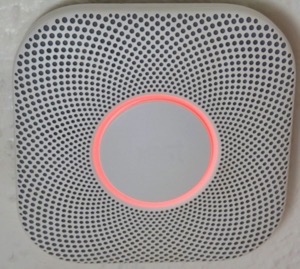
The second, of three, Nest Protect smoke alarms reached end of life.

I swear, I think smoke detectors in general are more of a pain in the ass than they’re worth. (I say that as someone who had a house burn down!)

I also have come to believe that the damn things are somehow built to sense sundown, then wait 6 hours before starting their bitching about low battery or malfunctions.

That’s only when they’re not going off because someone took a hot shower, or a bit of toast got overdone.

There’s nothing quite like being naked on a stepladder in the middle of the night trying to get one of these nuisance devices off the damn ceiling to shut it the hell up!

The modern machines all seem to have CO detectors in them and it’s the damn CO detector that goes out first. But rather than being able to tell the stupid machine, “Yes I get it, the CO detector is malfunctioning. There is another unit that is still functioning so stop chirping every 60 seconds and let us get some sleep…”

Nope! It’s gotta be taken care of right then. Like you’re going to be able to run out to the local hardware store at 2am and buy a replacement.

The Protects were literally the best of these nuisance machines. I’ve had these for 10 years and they have legitimately reached end of life. I’m not too annoyed, other than now I have to replace them with whatever bullshit machines are on the market today.

That’s thanks to Google’s masterful decision to keep fucking over Nest, (who they purchased a while back and have systematically destroyed.) Trust me, however much you hate Google, (and there are numerous reasons beside what they did to Nest,) it’s not enough.

I’ve hated smoke alarms since at least 1982. I had one in an apartment that pissed me off so much, (again at 3 am), that I leapt off the floor, snatched the damn thing from the ceiling and disemboweled it on the spot.

The Protect units were purchased after, at random, any one, of the three units installed in my house by the builder, started going off at random intervals for absolutely no reason. Always sometime between 1 and 3 am. (Not good if you’ve actually been in a house fire and are perhaps a little twitchy about fire!)

Those stupid machines were so bad we couldn’t use the stove in the kitchen without having the sliding doors and all the windows in the house open. Even then, it was 50/50 that they’d start that horrific screeching, reporting a fire that didn’t exist. This was only slightly more annoying than the smoke detectors in the previous house that burned, never raising a peep, even as they were consumed by fire.

But take too hot a shower… Then once again there you were, naked, throwing doors and windows open to make the damn things shut the hell up!

The Protects, solved most of those problems. I’m not looking forward to going back to the shitty overly sensitive machines.

Last night, at least, I knew what was going on. Even half asleep, I got the malfunctioning Protect off the ceiling. Unplugged it from the AC connection, pulled the backup batteries, and left the mess on the kitchen counter.

I don’t remember pulling the batteries, I was on auto pilot. I don’t even remember going back to bed.

From this you might infer that I’m very grumpy when my sleep is disturbed. That is true to a point.

If the source of the disturbance is the dog wanting out at some ungodly hour because he’s not feeling well. I’m totally fine with it. If it’s a child or even an adult that’s waking me for a legitimate reason, I’m not grumpy at all.

But a machine? (Including alarm clocks,) oh hell no! I loose my damn mind. This is especially true of a machine that’s decided to tell me about a low battery every 60 seconds at 4am.

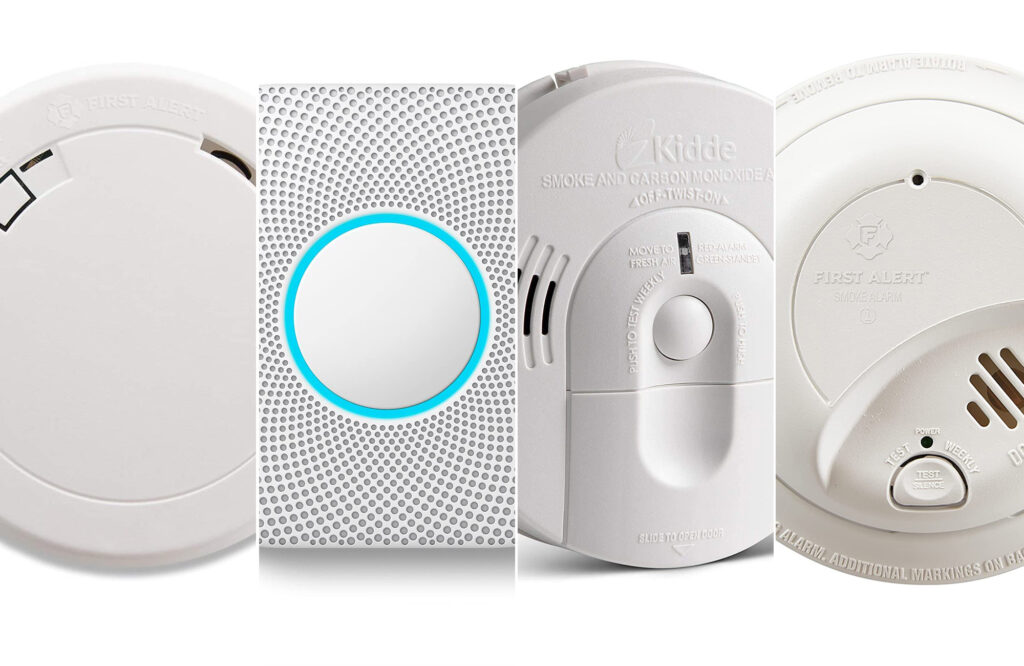
Now my challenge is to strike a balance between price and minimal false alarms in my replacement smoke detectors. Truthfully, if the originally installed units weren’t wired into the house power, (and therefore there weren’t open holes in the ceiling where they were installed,) I’d be removing the mounting rings, spackling the screw holes over, and calling it a day.

What ever POS devices I choose, I take comfort in the high probability that I will not be living with the decision for long.