Tax day blues

TaxDay

Happy April!

Only 13 more shopping days until we’re fucked by the IRS again.

I’d suggest stocking up on personal lubricants that stay slippery for a very long time.

The IRS has been under fire and well, they’re likely to be wanting to pound out some frustrations!

AriForceOne

I know, I know.

Without the IRS, the festering behemoth that is our government wouldn’t have money.

Money that they’d be able to continue to misappropriate.

Money they’d be able to use to pay off or support the failing governments of our enemies.

Who knows? Stompy Foot might have to close public parks and national monuments to pay for gas in Air Force One.  After all he’s got a “T” time at Indian Wells next Sunday.

GolfCourse

Yeah, I’m for small efficient government, does it show?

Formatting… Formatting… Backing up… Formatting… Backing up… wasting time…

HardDrive

Ya know, we have it pretty darn good.

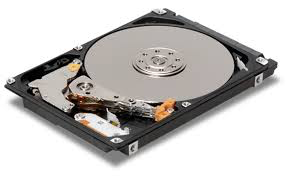
Our disk drives are super dense, super fast, really small, and amazingly reliable.

Except when they’re not!

Because of their data density, sometimes it’s really hard to figure out that the problem you’re chasing is a slightly corrupted file that you only access once in a great while. 

Or that a subdirectory contains a group of corrupted files that you never access but that the system knows are problematic and is trying to fix instead of telling you, “Those files there are a steaming pile of crap… Sorry!”
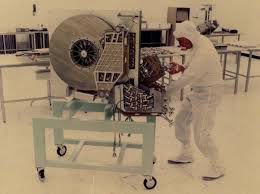
Old HD

I’ve been chasing a subtle wonky problem around my network for a while. Most of the time I was able to minimize the issue to the point that I forgot about it.

With the recent changes to the network, I caused a serious disturbance in the force! The disturbance was bad enough that I wasn’t able to minimize the problem anymore, its just as well, I hate “now ya see ‘em… now you don’t issues.

Now that I’ve had to truly address the problem, I think I’ve narrowed it down to a bad drive in one of my TimeCapsules. This is of course the drive with backups dating back 4 years. Thank goodness I had a copy of that backup on a portable drive or I’d have been really bummed out.

GreatDisturbance

I don’t know what the Time Capsule drive was actually doing, but I can tell you that it wasn’t backing up properly, and was sending all kinds of network broadcast messages.

Those millions of messages were impacting network performance across the board. Ironically, none of those messages actually said anything like, “Hey I’m in trouble please fix me!

Sigh, there are times when I’d love to slap some engineers! Then again I can see that they’re trying to make things simple and user friendly. I just wish Apple, in all their endless forums would publish something like “For those of you that want to see all the errors… Set these parameters!”

It would make things a lot easier sometimes.

NewTimeCapsule

After a lot of troubleshooting, isolating the drive and now reformatting it, my network is operating at expected and acceptable speeds.  Why reformat it? I’m just curious if any part of it is salvageable. Its possible that there’s nothing wrong with the drive, just that the data was corrupted by a power failure or something.

An example of the difference in speed is that 1GB backed up every two hours (Before Isolating the drive). Now 1 GB backs up in just a few minutes. You don’t really think about speed across your network until you have over 300GB of data that you want to back up. Then suddenly its a really big deal. 

I can’t complain even if the Time Capsule drive is bad I’ve gotten 6 years out of it. That’s a pretty good run on a drive that’s running all the time. Now the question is do I trust the drive IF it passes reformatting? I can and have, begun backing up on another NAS drive. If the Time Capsule drive checks out OK do I dare trust it? 

The really funny part of all the is that I never used to have backups. Typically when I delete something, I’m very Hillary about it. I mean for that shit to stay gone. But there have been times since I started using Apples Time Machine that I’ve pulled things back from the abyss. 

It’s funny to me how quickly I adapt to and become reliant on new technology. 

Then there’s the other part of me that doesn’t like change. That part thinks, “If the Time Capsule drive is really dead, I wonder if I could simply replace it with a new drive?”

After all if everything else in the TimeCapsule is still working why toss the whole machine? Although, a nice shiny new Time Capsule would fit very well in my wiring closet.


Update

 I was overconfident. I thought I had figured the problem out and everything was working properly again.

I’ve tried all the tricks I know, I’ve tried unwrapping the ball of fur that is Time Machine backup. Still the backup system is behaving completely abnormally. I can get the system working properly for one backup, when the next scheduled backup starts things go to hell again.

This leaves me in an interesting situation.

I have other things to do besides do unpaid QA on Apple products. 

I have a couple of websites that I must protect until delivery for example. I’ve got my own writing that I’d like to do.

Since I’ve resolved all the other issues, plaguing my network and have come to the conclusion that regarding the backups, the common denominator is my primary computer, as I see it I have 3 basic choices.

1) Turn off Time Machine, check its functionality after each release of patches to OS X. I believe that this problem was introduced with the last round of patches as I’m seeing log entires denoting bugs and failures that I’ve never seen before. Even after backing out the patches, the backups still only work once. I can make sure that the critical data is moved to offline storage manually

2) Hope that the backups I have are in fact reliable. Then reformat and reinstall my system from the ground up, paying attention to the partition table. As I recently learned with a friends computer, there can be partition table issues that cause Time Machine to fail arbitrarily with nothing more than a cryptically unhelpful message. That message, of course leads you right down the rabbit hole of wasted time and incorrect diagnostics. I suspect this is the loop I’m in right now. Like my friend, my computer is running just dandy although when it’s trying to do a Time Machine backup it does run a tad warm.

3) Locate, research, and then install, and use a 3rd party piece of backup software and retire Time Machine altogether. Time Machine is very convenient, and when it works, it works well. There are however other solutions and these other solutions provide more flexibility without some of the risks I’ve read of inherent to Time Machine. For example; there are multiple reports of corrupted indexing, corrupting the underlying data. This results in a backup being completely useless.  Worse than useless in fact, because you don’t know the backup is trash, UNTIL you need to restore from it.

Perhaps a backup solution that permits cloning of the computer’s internal drive is a better solution. This means that there is always a bootable, functional copy of the system’s disk and it’s easy to check that it’s a working copy.

Perhaps a combination of all three solutions is the best way to protect my data. If I start with 3 then execute 2 then perhaps 1 won’t be necessary.

I’ve been at this off & on for the last week, its time to move on. 

For those who are searching for answers, My experience with the Apple Forums has been next to usless, except as a time waster.

Here are the symptoms I’m seeing.

“Preparing Backup” <- This step can go on for hours. During this time the console log shows that the backup drive is mounted but there may be no log activity for 20, 30, or some random number of minutes. When activity is again shown in the log it is almost but not always a message saying;

Deep event scan at path:/ reason:must scan subdirs | new event db |

This happens even if you initiate a backup right after a successful backup, meaning there should be no need to rescan the system hasn’t changed. 

process backupd[751] thread 36644 caught burning CPU! It used more than 50% CPU

This message makes sense because the whole system is very busy during indexing. But it shouldn’t be required to index the entire drive with each backup.

The following log is closer to normal but this log results in the system taking 12 hours to copy 12 GB. The new full disk 350GB backup to the same volume over the same connection only took six hours to begin with.

com.apple.backupd[751]: Starting automatic backup
com.apple.backupd[751]: Attempting to mount network destination URL: afp://UserName._afpovertcp._tcp.local./DriveName
com.apple.backupd[751]: Mounted network destination at mount point: /Volumes/DriveName using URL: afp://UserName._afpovertcp._tcp.local./DriveName
com.apple.backupd[751]: Disk image /Volumes/DriveName/ComputerName.sparsebundle mounted at: /Volumes/Time Machine Backups
com.apple.backupd[751]: Backing up to /dev/disk4s2: /Volumes/Time Machine Backups/Backups.backupdb
com.apple.backupd[751]: Event store UUIDs don't match for volume: Macintosh HD
com.apple.backupd[751]: Waiting for index to be ready (100)
com.apple.backupd[751]: Deep event scan at path:/ reason:must scan subdirs|new event db|
com.apple.backupd[751]: Reading cached event database from: /Volumes/Time Machine Backups/Backups.backupdb/ComputerName/2015-04-02-074526.inProgress/15A09E54-6451-4E09-A947-4F7EBAF8DE21/.CFB31849-81AA-376E-BE44-9BE66ECE17D2.eventdb
com.apple.backupd[751]: Using cached disk scan
com.apple.backupd[751]: Saved event cache at /Volumes/Time Machine Backups/Backups.backupdb/ComputerName/2015-04-02-074526.inProgress/38C9D5E1-C5B6-4F3F-BB63-19C909718795/.CFB31849-81AA-376E-BE44-9BE66ECE17D2.eventdb
com.apple.backupd[751]: Not using file event preflight for Macintosh HD
com.apple.backupd[751]: Found 415344 files (11.39 GB) needing backup
com.apple.backupd[751]: 14.63 GB required (including padding), 1.69 TB available
com.apple.backupd[751]: Copied 96408 items (1.03 GB) from volume Macintosh HD. Linked 335719.
kernel[0]: process backupd[751] thread 36644 caught burning CPU! It used more than 50% CPU (Actual recent usage: 61%) over 180 seconds. thread lifetime cpu usage 548.276287 seconds, (241.274677 user, 307.001610 system) ledger info: balance: 90003836101 credit: 536400616669 debit: 446396780568 limit: 90000000000 (50%) period: 180000000000 time since last refill (ns): 147338040650
spindump[444]: Saved cpu_resource.diag report for backupd version ??? (???) to /Library/Logs/DiagnosticReports/backupd_2015-04-02-082002_ComputerName.cpu_resource.diag
 

 I have no answers for any of you looking to find out what happened to your nice reliable Time Machine backup. I can only say that since the last patch mine has been completely screwed. 

The event logs look pretty much the same and the computers behavior is the same, if I’m backing up to a network attached drive or a locally attached external drive.

Virus scans show no issues, Malware scan shows no issues.  Deleting and forcing a rebuild of spotlight indexes on all drives does not resolve the problem.

Disk Repair indicates that the internal drive and external drives are healthy. I’ve run the repair disk option on all drives, reformatted external drives, and am confident that whatever the problem is, it is not the external drives.

Everything points back to this particular system which has led me to the three options.

One more point of interest is this. 

I have not been able to permanently exclude the backup drives from spotlight indexing. I’ve tried via Terminal and via the spotlight application in System Preferences.

The exclusions are deleted after a reboot.

The 2nd ammendment doesn’t grant the right to bear arms…

Momsdemand1

It is supposed to insure it.

I found an interesting analysis about the 2nd amendment a few weeks ago. The analysis states that the language of the 2nd is straightforward and unambiguous.

It is assumed, according to this analysis that citizens living under the constitution inherently have the right to own arms and that right is not granted by the 2nd amendment but is protected from government interference by the 2nd amendment.

The analysis is far more detailed and can be read in its entirety here.

Everytown1

So without thinking about it too much, I sent the link to an acquaintance on Twitter.

He was, as always embattled with one of the gun control advocates from one of the groups like Moms Demand Action, or Everytown for Gun safety. This analysis made his point and he sent it to the gun grabbers.

Progressives

I’m always surprised by the nasty comments from the gun control crowd. For an “enlightened”, “Progressive”, “Well Educated”, group, you’d think their vocabulary would have a bit more depth.

Nonetheless it got me thinking about the logic the gun control folks are using.

USConstitution

Some of the gun control people absolutely believe that guns should be removed from the hands of people because of the harm some guns might cause.

That led me to this thought;

By their logic, I could advocate bringing back Eugenics Laws because one of their descendants might be responsible for killing a bunch of people.

Their logic is just as flawed about guns as mine is about descendants.

You can’t know a gun is going to hurt someone any more than you can know a descendant is going to be a criminal.

Eugenics1

There is no family on the planet that doesn’t have at least one criminal in the family tree and no family is immune from producing criminals.

I could as easily make the case that preventing people from breeding is likely to be equally beneficial to society and the planet in the long term, as removing guns.

After all, fewer people sucking up resources burning fossil fuel, etc. would be better long term to combat global warming.

I’ve considered invoking the Zardoz paradigm where the primitives were given guns so that they’d war amongst themselves thereby keeping their numbers manageable.

Eugenics2

I don’t think that would add anything useful to the debate other than to offend the fem-nazis by forcing them to view a half naked, hairy, violent, Sean Connery.

Humm… Might be worth it after all!

I wonder all the time, why the “Moms Demand” and “Everytown” groups aren’t also teaching gun safety. I believe that there are too many guns to confiscate, even if I believed that line of illogic. I believe instead, that teaching children gun safety would save more lives.

I absolutely believe the fewer people in the general population who have knowledge about proper handling of, and behavior around guns; the more likely gun accidents become.

Zardoz1

For me its simply pragmatic. If you teach gun safety you can’t go wrong.

The educated gun control folks reject that kind of education. These are the same people that seem content with censoring other knowledge as well.

These folks are content with not teaching children via Chemistry Class about dangerous chemicals in the home. In spite of the fact that accidental poisoning is common.

They’re offended by locker room nudity, but not extremely suggestive nudity & sexuality in movies. They’ll decry playground fights as unacceptable, but will show DVD’s to their children depicting bloody fights and dismemberment.

Zardoz2

Don’t get me wrong, I’m not advocating censorship any more than I’m advocating gun control.

I just wish these groups were consistent in their logic.

I’ve really become suspicious

NewImage

In my on-going search for a permanent job, I’ve had some very negative experiences.

In some cases, those experiences were due to my own failings, in other cases I, like a lot of the aging boomers got victimized.

As a result, I’m always suspicious of headhunters.

My experience with placement personnel has been universally negative over the past decade. Even within the headhunters, there are gradations of suspicion.

For example:

My suspicion is heightened when the headhunter is from well out of the local area.

Why would a company in California hire a headhunting agency in New Jersey?

Hunting party

Based on past experiences and lots of wasted time, I’m a tad more suspicious when a New Jersey based headhunter has an obviously Indian name and they’re telling me about a temporary opportunity 1200 miles away from my current location.

How well does this person know the job market or geography?

The odds are they don’t. Often these folks are actually in India and the address they’ve given in New Jersey is essentially an empty office suite.

This is not to say that American Headhunters don’t do the same thing.

Recently, I drove to Huntington Beach to personally hand my resume to someone. The office was actually an executive suite with a receptionist who told me flat out, she’d never seen anyone from the company I’d come to see.

I’m likely to flush an email instantly if it’s obvious that the headhunter didn’t read my resume, or if their email is rife with typos, or worse yet, obvious and incorrectly copied HTML

I realize that I may be tossing out viable leads, but from the old school perspective; “If you can’t be bothered to at least look at your work before you send it out to the world, you can’t be very diligent in negotiation for salary on my behalf.”

Lets be honest here. Technically, a headhunter is your agent. If they look like shit in their correspondence or can’t communicate, YOU’RE going to look like shit too

If a headhunter references their “database” but I’ve never done business with them, heard of their company, or the email address they’re using is very old, I’m very suspicious.

Beginning any relationship with a lie is a bad idea. Beginning a business relationship with lies is especially bad. Why don’t they tell you something like “I saw your resume on Dice, or Monster, or LinkedIn.” At least then I’d know what information they’d been privy to and might not be quite as circumspect. I’ve had way too many experiences where I spend the time, answer their questions, and then… The sound of one hand clapping.

In my case, I go right to the memory of working very hard with a headhunter daily, I was writing letters and tweaking my resume for weeks on end, for various jobs, only to discover that I was doing the headhunter’s job and he was using my letters and chunks of my resume to sell other candidates.

Lamprey

The parasite would have continued to bleed me for who knows how long except that I was at an interview and the interviewer asked if I used aliases.

When I said, “No” he presented me with a poorly edited version of my resume with someone else’s name on it, and one of the cover letters I’d written.

Needless to say nobody got the job. The headhunter in question and his company, were barred from submitting candidates. I noticed recently that headhunters office was for lease.

The point to all of this is that I’m getting interest in my online profile, but I’m very curious as to why all that interest is from companies outside of California.

Not that leaving California is necessarily a problem, but these are for positions within California. Why aren’t local headhunters working these positions?

The real problem is,how do you know if these headhunters and the positions they offer are real, or if these positions are bogus, designed to get you to turn over information “necessary to get the job” that is really being given to identity thieves.

At the risk of sounding like a luddite… 

I don’t like this new internet job thingy. I don’t like it one little bit!


Here’s an update.

After 5 headhunters contacting me, one of them twice. Then me following up with them politely and providing the information that they requested yet again…

…The sound of one hand clapping. 

I checked these companies out to the best of my ability. I did due diligence but lets face it anyone can make a web page and have a phone number forwarded to a cell phone.

Another colossal waste of time. Time I might add that I don’t have to waste. 

Chasing my Tail

DishnGlobe

As I reported a week or so ago. We’ve gone to satellite for our Internet.

This is cool, and generally works really well.

Of course it meant that I started looking at our aging infrastructure and began removing older devices that perhaps weren’t being used anymore, but were still attached to the network.

Ever heard the term “Let Sleeping Dogs Lie,” next time I’m going to heed that cautionary tail.

neatswitch

It started out simply enough.

I thought, “I’ll swap in the faster more modern router.”

I did and everything seemed to be going along just swimmingly. Then I sat down and started evaluating the network disk storage.

There are some drives that are used for backup pretty muck exclusively, and there are other drives that are used for data of all kinds. I think perhaps I could consolidate the data on the newer drives and then simplify the network by removing the older drives before they become problems. 

I’ve been hearing noises from a couple of the older units that are worrisome.

spaghettimonster

In all, these changes should cost me nothing but a little time.

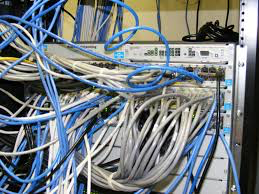
This also takes me toward the final goal of permanently mounting the shiny new gigabit switch under the shelf in the wiring cabinet with appropriate length cables and generally neat and pretty connections, instead of looking, as it currently does, like a flying spaghetti monster is living in my network cabinet.

So I move some data, I’m making progress, then suddenly I notice my usual computer is making backups really slowly. After a fair bit of investigation, I’m not sure why. As time goes on the backups are slower… and slower… and it makes no sense.

CRAP!

TimeMachineIcon

I’m seeing 52MB backups taking an hour. I can transfer 52MB with file copy in seconds, so what gives? Dying drive, screwed up connection, nothing makes sense.

Shoulda let sleeping dogs lie

I’ve narrowed it down to something going on with specifically my computer, and specifically my backup utility. 

Great!

WTF has gone awry in my baby?

Hit the internet

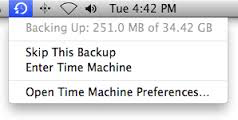
Skipthisbackup

Gee! That satellite thingy is pretty cool. 

Problems with Time Machine backups appear off & on for years, across all flavors of Mac OS X.

Great, there actually is such a thing as too much data.

Narrowing, narrowing, narrowing, and …

Time machine may take a long time in the preparing phase, or in the backing up phase if a backup was interrupted. This can also happen if the machine hasn’t been connected to the time capsule device for a long time.  Finally, this can be caused due to corrupted spotlight indexes.

Hummm so I wonder what would happen if I delete the local drive index and force a rebuild?

10types

Seems straight forward enough… Lets see what happens.

sudo mdutil -E /Volumes/Macintosh\ HD

/:

Indexing enabled.

Well, no crash & burn… that’s a good sign and the nice snappy response is reassuring. I suppose that the first backup after the index rebuild will be slow. The system will probably act like it’s been disconnected from the storage device for a lone time.

That backup will have to wait.  Right at the moment, the shiny switch is getting a workout using rsync to move a bunch of files.

I brought a venerable 7 year old computer out of retirement to handle that chore. I really should get that machine a new hard drive. That’s the only problem it has. It’s down to 8GB and is slowing down because there isn’t enough scratch storage space, the machine itself is still fast.

Intel730series

Maybe a nice 500 GB or 1 TB solid state drive. Faster, quieter, lower power consumption and cooler running.

I’ll check into that on Monday.

Ahh, the CPU in this machine just pegged. Yep, the Indexing routine is a very busy camper.

I’m going to let this machine finish it’s assigned tasks, then I’ll test the backup on a USB drive. That will at least tell me if I’m on the right track figuring out what the problem is.

Cables

I want to get this taken care of. I want to make sure that it’s not something in the connections or devices I’ve moved around.

That’s important because I don’t want to mount all this crap, only to have to take it all apart again because I missed something.

I’m hoping that tomorrow I can say, “To Fry’s Electronics, boy wonder. We’ve got some cabling and mounting stuff to buy.”


Interesting.

Looks like flushing the index solved the problem. At least it solved the problem on the external drive.

I was seeing this long pause “Preparing Backup”, then an inordinately long time actually backing up the data. After flushing the index the “Preparing phase” was a lot shorter and the actual backup was as fast as normal.

I’ve got the TimeCapsule backup drive / router busy as heck right now so further testing will have to wait. On the plus side, I’ve seen an improvement which leads me to believe that I’m on the right track.

“To Fry’s, boy blunder!”