
On the evening of July 4th, I was done watching the usual movie marathon. My knee was killing me, and I couldn’t sleep.
 Reading wasn’t working. I kept reading the same page over and over. I’d managed to walk the pup but it was not an easy walk. I’m still proud I put my big boy pants on and did it. But when we were done, I was hurting.
The knee is a bit better today.
Friday night though, I decided I wanted a little fun so I fired up the playstation. I was going to mindlessly blow stuff up and shoot zombies. It was s simple request.

It failed!
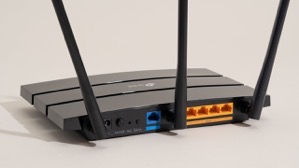
Turns out that somehow after the last power down of my equipment (so Edison could power down the grid, then didn’t…) My router either didn’t shut down right or corrupted a routing table.
This meant that for some reason most, and I mean almost everything dependent on internet access was working fine. I don’t use the playstation daily or even weekly so I didn’t notice.
There was something a week or so ago when I wanted to watch a movie from Amazon in surround sound. That particular night, the movie would start and play fine for a random period of time then suddenly freeze. I thought the problem was on amazon’s side and gave up after a couple of restarts.
Friday night, I couldn’t get the inevitable and requisite update to Call of Duty to download. There’s ALWAYS a download that must be installed with Call of Duty and frankly, I think it’s killing the franchise. Well, that and the story lines are kind of repetitive, plus now they’re doing this whole Season thing to milk more money out of Call of Duty fans. Honestly, I miss the days of plunking the DVD in the game station and just being able to play the damn game!
 I digress!
After repeated attempts, I switched to Borderlands and shot zombies. Saturday morning, I checked the network, the devices, and everything looked completely normal except that the Call of Duty download was still incomplete and claimed that it couldn’t use the DNS server provided.
Nothing else was having difficulty so I reset the playstation’s wifi connection & restarted the machine again. Still the problem persisted. It didn’t make sense, I half contemplated just hardwiring the playstation via a LAN cable. Doing so would probably have corrected the problem, but wouldn’t have answered the “WHY” of the problem.
Not having any better idea, I restarted the router.
That’s when everything went to shit!
When the router came back up, it started connecting to all of the devices it normally talks to then one by one devices started inexplicably dropping off wifi, then they’d come back. Something was very definitely wrong.
I restarted the router again, this time all the devices came back online and remained except for one.
Turns out, the playstation and another device on the network were somehow interfering with each other. Both devices appeared to have the same identifiers and ip addresses. That’s a “can’t happen” situation and yet… here we were.
The routing table that is maintained internally by the router was somehow horribly corrupt. It took a several tries, and multiple reboots to get the router to let it go and purge the whole table. I thought I was going to have to reset the router entirely to factory default and reconfigure it from scratch. Somehow, probably due to a software update to the router, a portion of the table wouldn’t clear. The router was also randomly ignoring the command to purge the internal routing table
 Not a big deal, just a pain in the ass.
However, it’s taken me most of the morning to troubleshoot, correct, and reconfigure all the devices. Some of them were extremely pissed off at the configuration “Changes”.
The Call of Duty update has downloaded and installed. 36GB? Really? You’ve got to be kidding me!
I’m testing the playstation’s connectivity with mindless streaming of music right now. Maybe I’ll tell it to playback all of a television series while I go about my daily activities, just to make sure it’s rock solid again.
All of the other devices are back online. The last of the Nest Protects will probably go offline in the next month (it’s reaching the end of life and when Protects expire they’re quite adamant about it. And always at 3AM!) That will leave only the Nest thermostat which depending on other factors, I’ll either keep and use in manual mode, or replace with someone else’s smart thermostat.
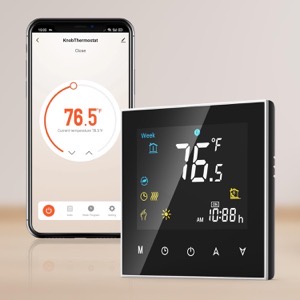 I’ve been debating not bothering, but I like being able to have the house at some kind of reasonable temperature when I get home and at the same time not cooling or heating the house needlessly. Simple Scheduling works fine, IF you’ve got regular hours like leaving for work and returning at some predetermined time.
In winter I don’t mind the house being 55°F while I’m asleep, even colder if I’m not home. I’ve got blankets on the bed for nighttime. But I really like the house being 67° or so when I wake up or when I come home. I suppose I could use a schedule, but I like being able to get up in the middle of the night when I’m not sleeping well, and tell Siri to make the house comfortable. The newer smart thermostats appear to have the ability to use Apple home or other systems to anticipate your arrival. Yes, that’s kinda creepy but I’ll allow the creep factor to some extent if it’s under my control and convenient.
Okay, I’m spoiled! You know what? I’m worth it.
Speaking of spoiled. I’m still moving very slow with the knee. Maybe I’ll spend extravagantly on a nice long professional massage this week or next. I don’t think the problem is mechanical per se. I think it’s just a bunch of muscles have seized up from me going up & down the ladder so much working on the house.
I’ve been putting it off because I don’t want to spend the money and then undo the relaxation by going right back to what I did that caused the problem in the first place.
I may have little choice now.
After all of this one thing bears repeating:
“The problem with technology reliant processes is, without the ability to bypass technology when it malfunctions, you’re left at its mercy.“
UPDATE:
I ended up factory defaulting the router. The playstation was still having problems that made little sense.
I went through the whole reconfiguration process again. Since I had to go back to factory default, I took the opportunity to install higher security on the router.
I also enabled the HomeKit protection built into the router. This feature adds some firewalls to smart devices supposedly to protect them from hackers using smart devices to gain access to a home network. I have no idea how well it works but since it’s available I figured I’d give it a whirl.
While I was at it I enabled another feature that puts the smart devices on their own subnet. This further isolates smart devices from the main network while maintaining normal functionality. It’s kind of a pain in the butt from a configuration standpoint but does provide a little more security.
In the process, I discovered a couple more things. 1) There’s a lot more radar (from full self driving cars) in the area than I thought. 2) Someone in the neighborhood has something (no clue what) that’s blasting all kinds of RF (Radio Frequencies) at random intervals. I’m not sure, but I’d swear someone is using a microwave without a door! I guess they’re watching the food cook, and probably cooking their brains too. One can only hope!
I’d been putting off enabling or adding these security features precisely because it would require reconfiguration of the entire network.
Since I was already having to do the reconfiguration, it made sense to take care of the security issues at the same time.
The down side is that now I’ve got essentially a whole new network and that means some shake down time and tweaks.
If I’m really lucky, I may be able to tell the router to go stealth mode. Meaning that I can stop broadcasting its name. If nobody knows the network name, because it’s not showing up when they ask their devices to connect to WiFI, then it’s less likely they’ll want to mess with it.
I could see some libtard taking issue with my network name and messing with it just because they were offended. That’s the world we live in now.